Creating a Template VM
Oracle Linux Virtualization Manager 4.5.5 is Oracle's enterprise build of the open source oVirt 4.5 platform. It gives you one place to run your virtual machines across a cluster of KVM hosts, to move them from one host to another, and to keep them running when a host goes down. We have the choice to manage all of it from the web portal, the REST API, or Ansible.
A VM template is a golden image of a virtual machine you have built the way you want it, captured once and kept ready to use again. Rather than installing, patching, and configuring each server from scratch and trusting that you did it the same way every time, you do that work once, prove it, and then clone copies as you need.
Virtual machines built from templates carry the same operating system, the same patch level, and the same configuration. We achieve consistency and exponential time savings. A VM build out can just take minutes to deploy with all the patches, configuration and standards rather than taking an entire day or days.
This walkthrough comes in two parts. First we'll capture a VM that is fully configured as a reusable template. Most customers build templates for Oracle database versions and versions of Linux/Windows operating systems.
Then we clone our template VMs to get a jump start on every VM that we build. Let's start by turning an existing machine into a template.
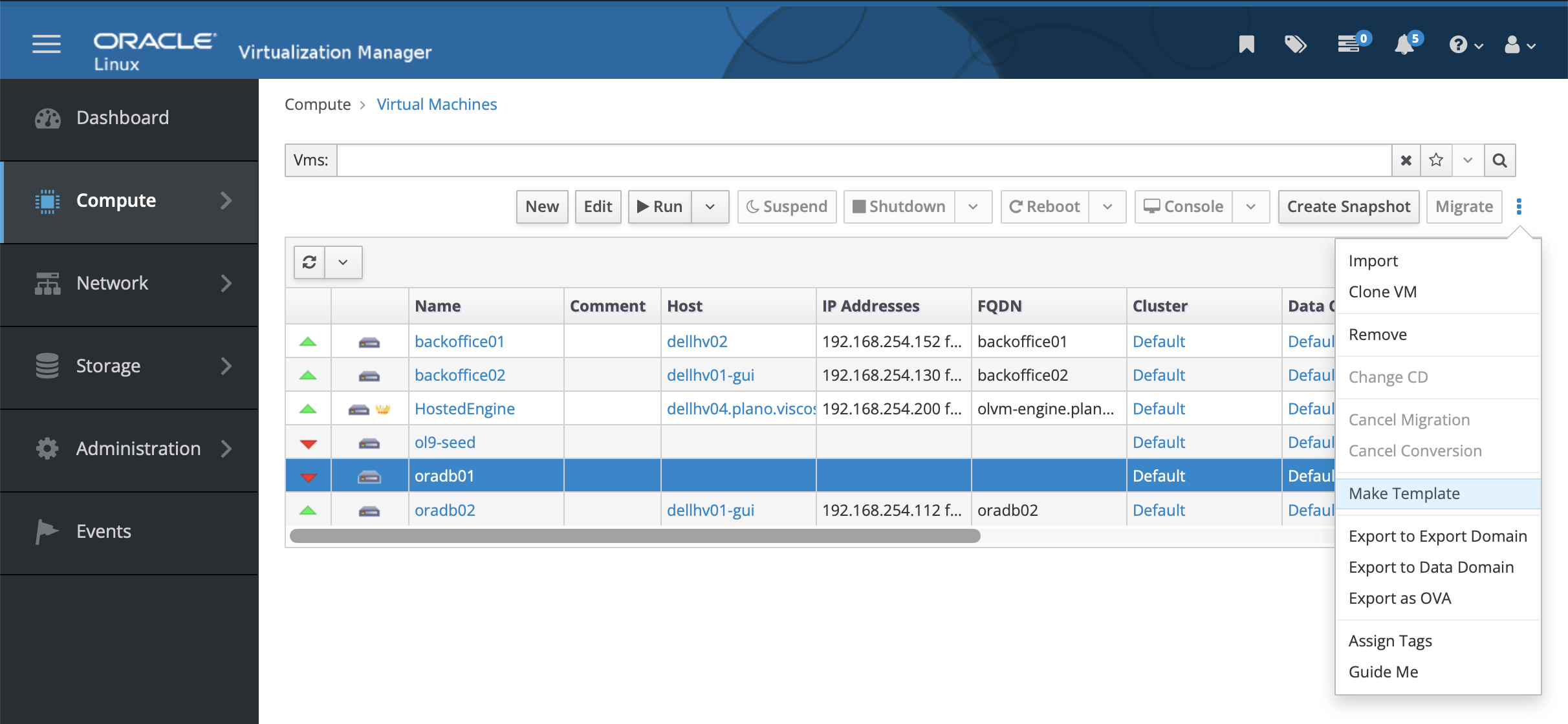
First shutdown the VM
Make sure that it is red with the down arrow
Compute => Virtual Machines
On the top right corner, click on the 3 dots
Choose the Make Template option
- Make sure that you selected the right virtual machine
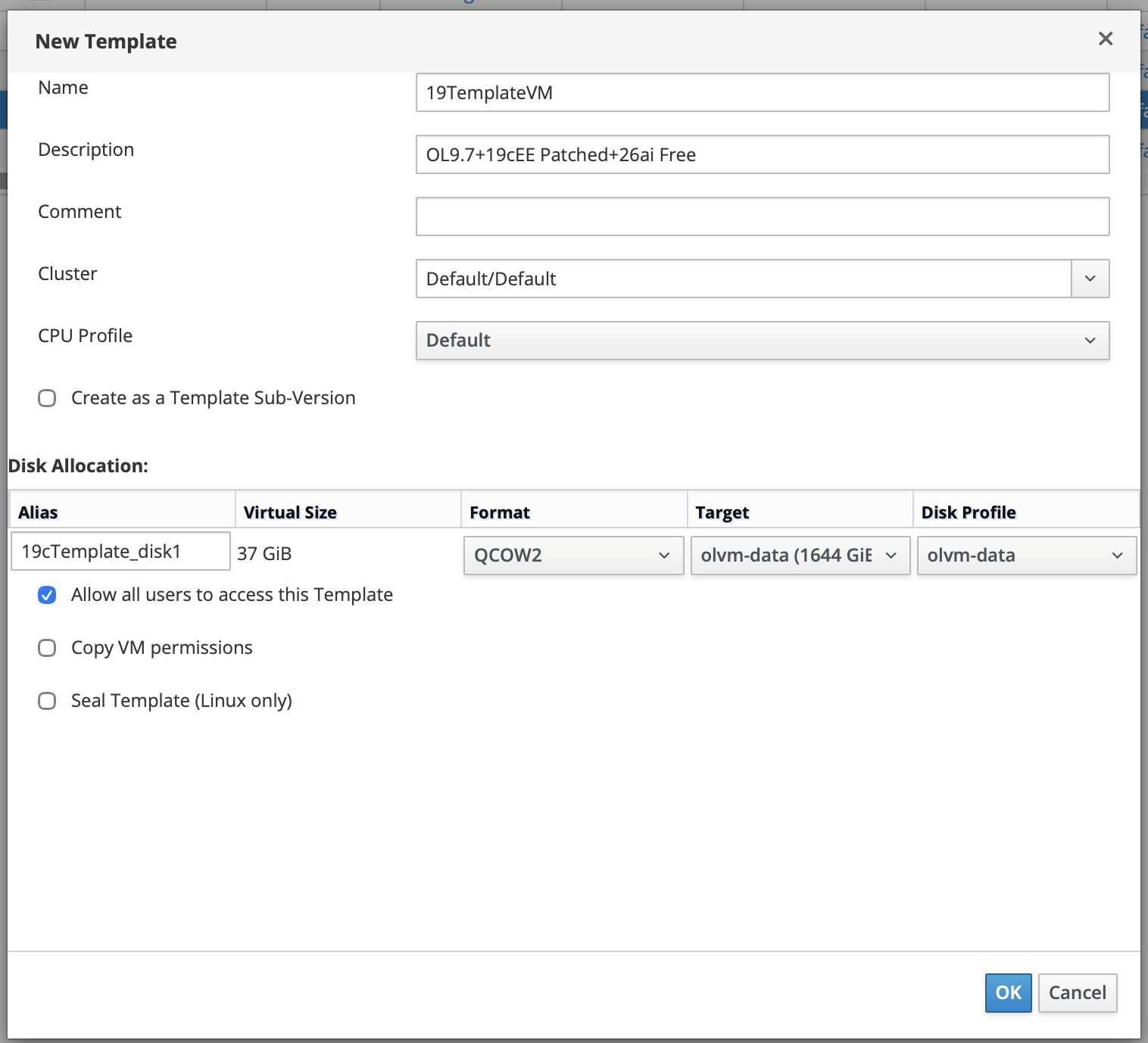
Click on the OK button
You will see your newly created 19cTemplateVM by navigating to Compute -> Templates
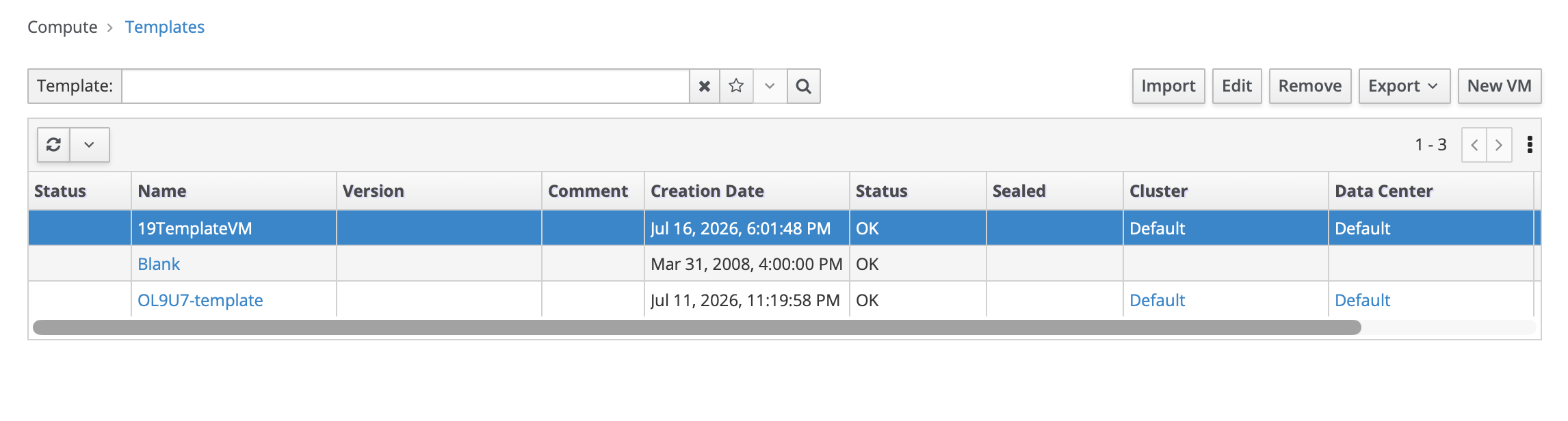
You will see the Status column change from Locked to OK. The amount of time for it to change status will vary depending on the size of the virtual disk(s) being copied to create the template.
Cloning the template to a new VM
With the golden image saved, the real payoff begins. Every new server now starts from that proven baseline instead of a blank install, so a build that used to take a day is done in minutes. Here's how to spin one up.
To clone a vm from an existing template, right click on the template VM and from the drop down window, click on New VM.
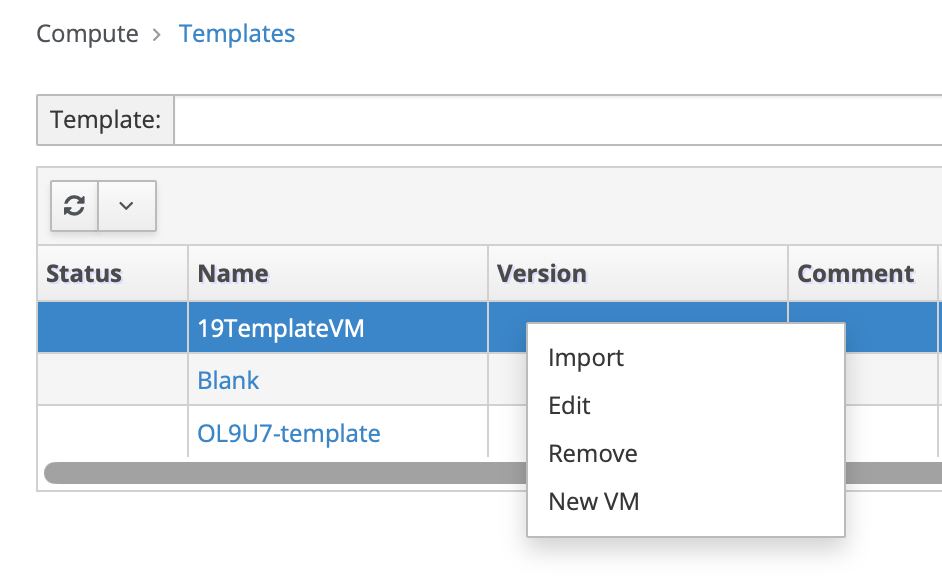
You will see the New Virtual Machine window
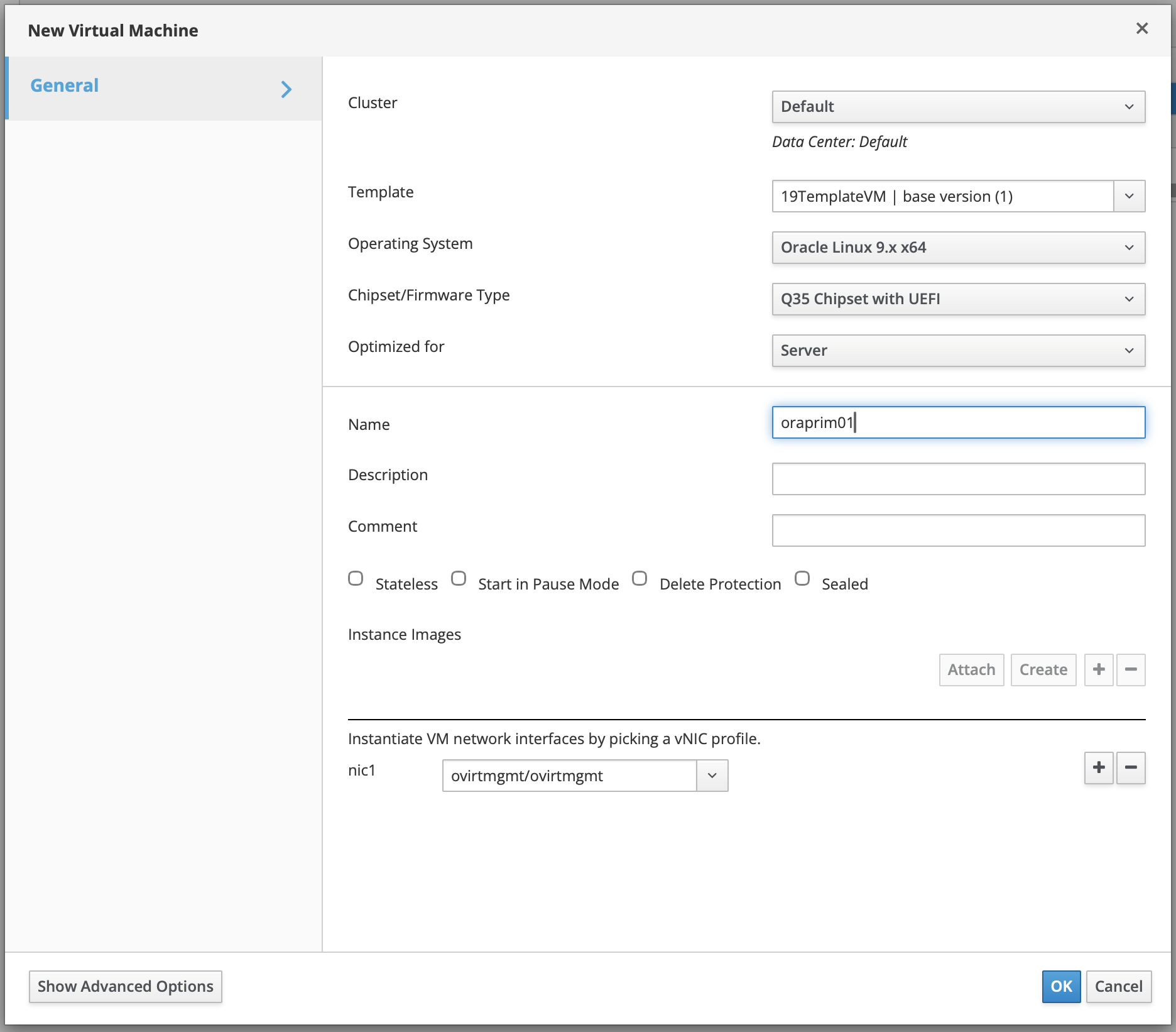
Enter the relevant information including the Name of the VM, description and comment. All the other defaults are acceptable for this portion of the screen. Then click on the Show Advanced Options.
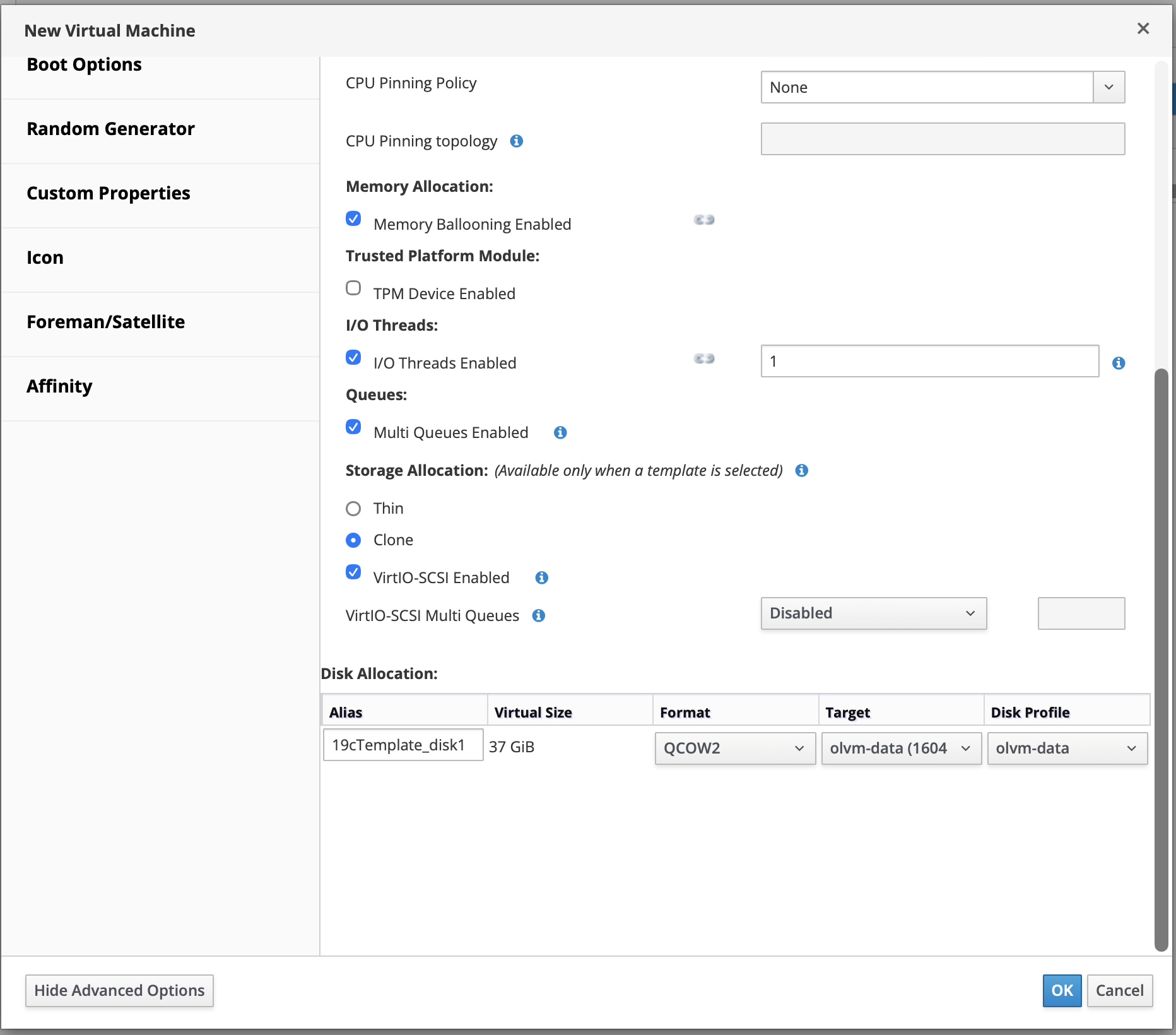
Click on the Resource Allocation and scroll down to the Storage Allocation section. OLVM now defaults to Clone disk. For POC or Dev environments, many customers choose thin provisioning of virtual disks for storage allocation.
Next, click on Initial Run
Enter or modify the VM Hostname
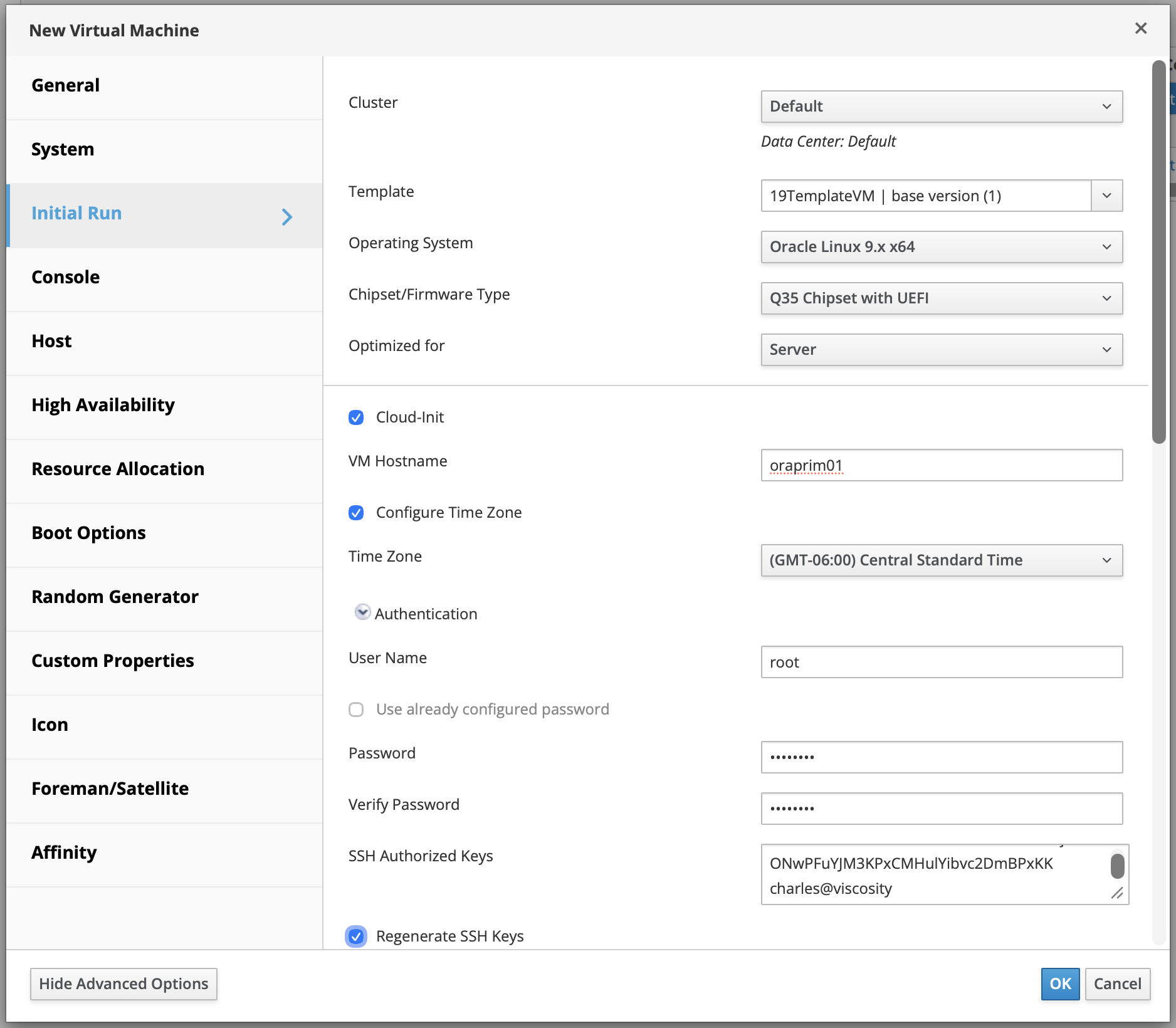
Click on Regenerate SSH Keys. This is important and unchecked by default. It tells cloud-init to generate fresh host keys on first boot. If you leave it off , the cloned VM keeps oradb01's host keys.
Scroll down to the next ½ of the screen
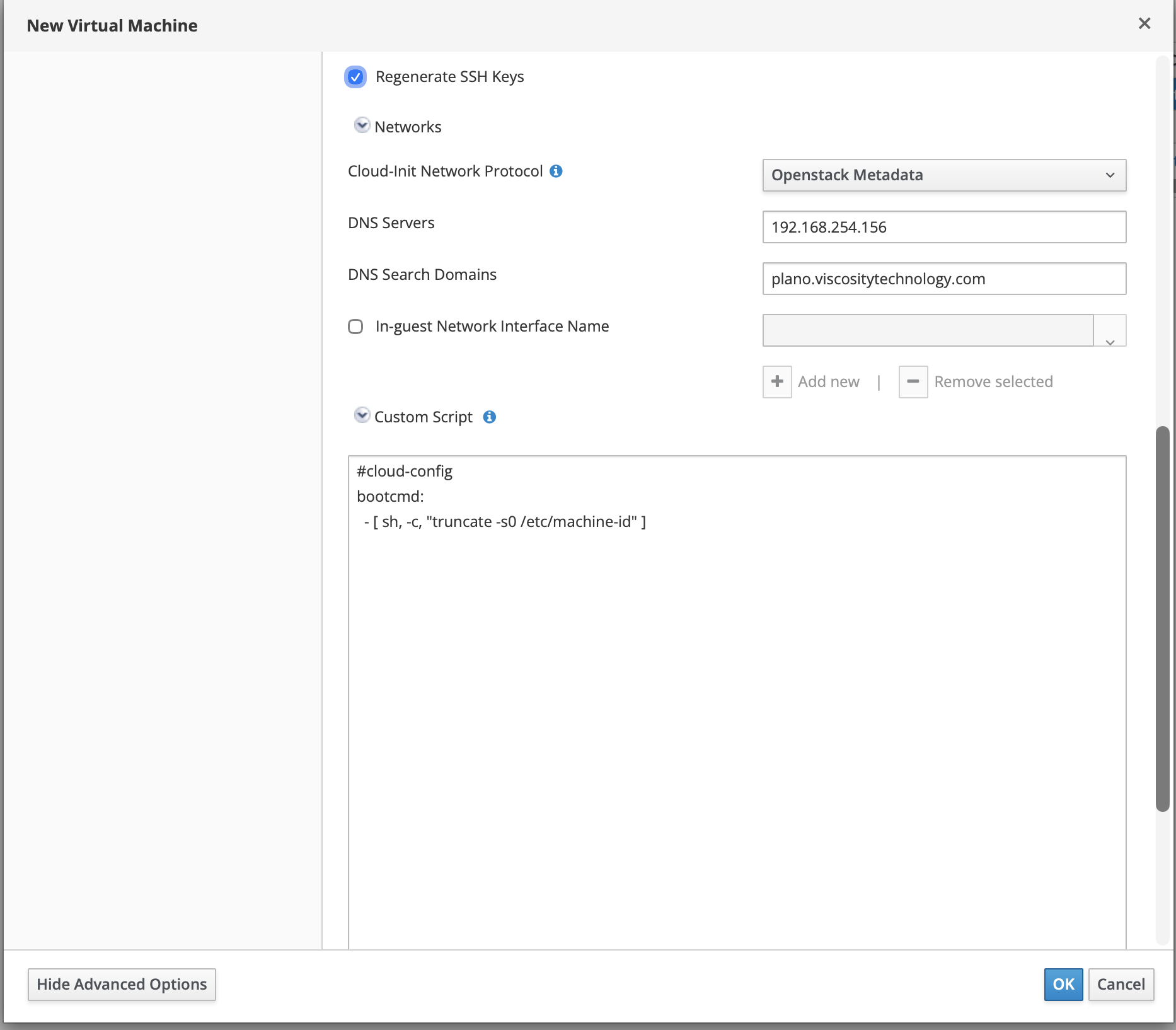
Enter the DNS Server and the DNS Search Domains fields
Last, click on Custom Script option and enter the code for cloud-config bootcmd:
#cloud-config
bootcmd:
- [ sh, -c, "truncate -s0 /etc/machine-id" ]
If we skip this step, we will get a running copy of oradb01 wearing the name oraprim01 but with oradb01's hostname inside, its machine-id, and no fresh identity.
When you have filled in the required fields, click on the OK button.
You can navigate to the virtual machines screen and check the status of the clone: Compute -> Virtual Machines
Scroll to the right to look at the Status column. The Status column will show the value of Image Locked. When the clone is complete, the Status column will change to Down.
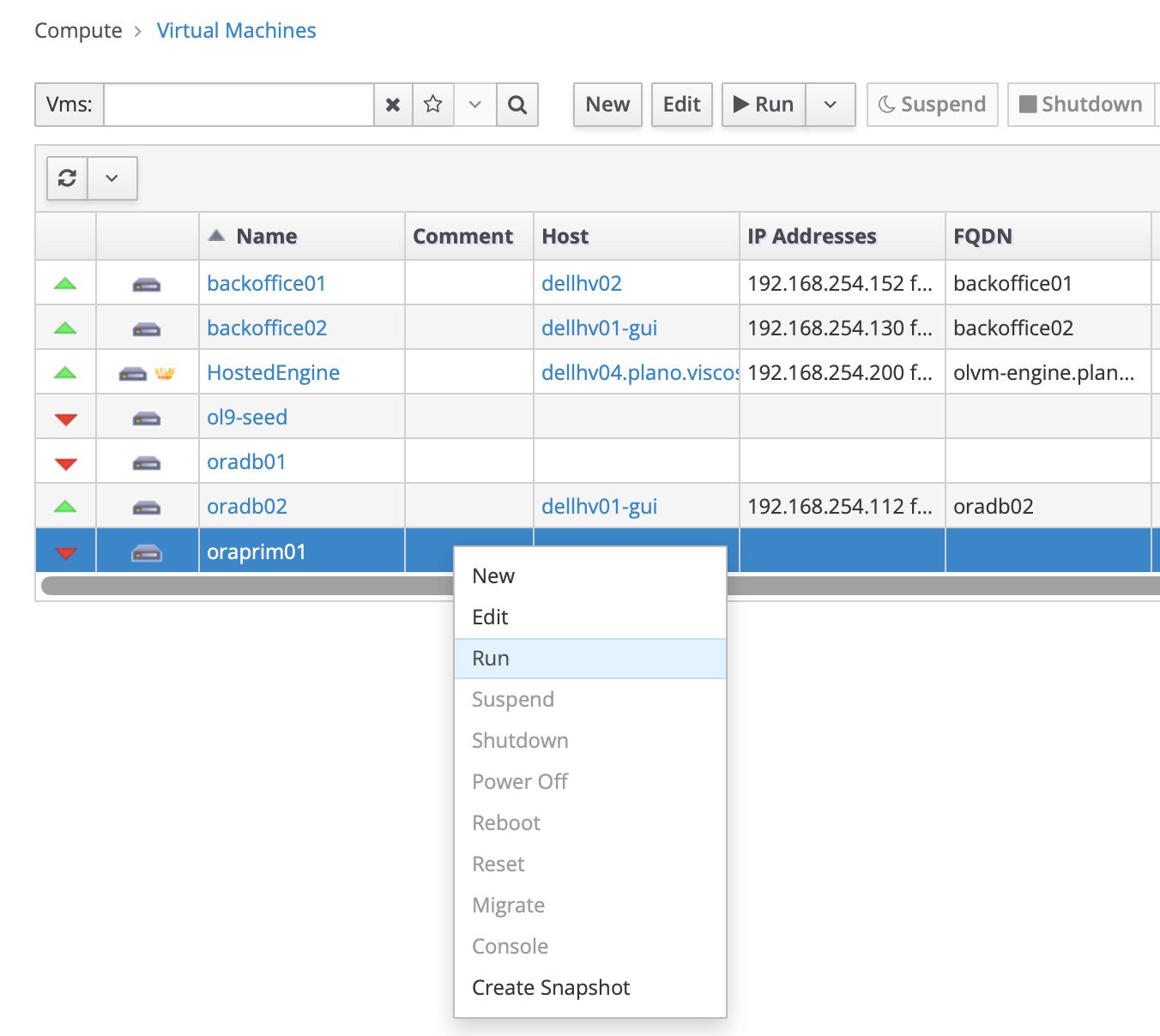
Right click on the VM, and click on the Run option. You will the Status column value change from Powering Up to Up.
Conclusion
We need invest time and energy into creating our templates. New VMs inherits all the standards, patches, versions, configurations, OS packages, kernel parameters and 3rd party software. Investing in templates maybe a time drain at the beginning but provides 100x or even 1000x savings in time and headache if implemented effectively.